Keys in DBMS
Imagine an educational platform like CS Engineering Gyan, storing thousands of student records inside a single table. Without a reliable way to uniquely identify each student, the system would have no clear method of distinguishing one learner from another, especially if two students happened to share the same name. This is exactly the kind of problem that keys are designed to solve in a database.
A key in DBMS is one or more attributes, or columns, used to uniquely identify a row within a table, or to establish a meaningful relationship between two different tables. Keys form the backbone of how relational databases maintain accuracy, avoid duplication, and connect related pieces of information together.
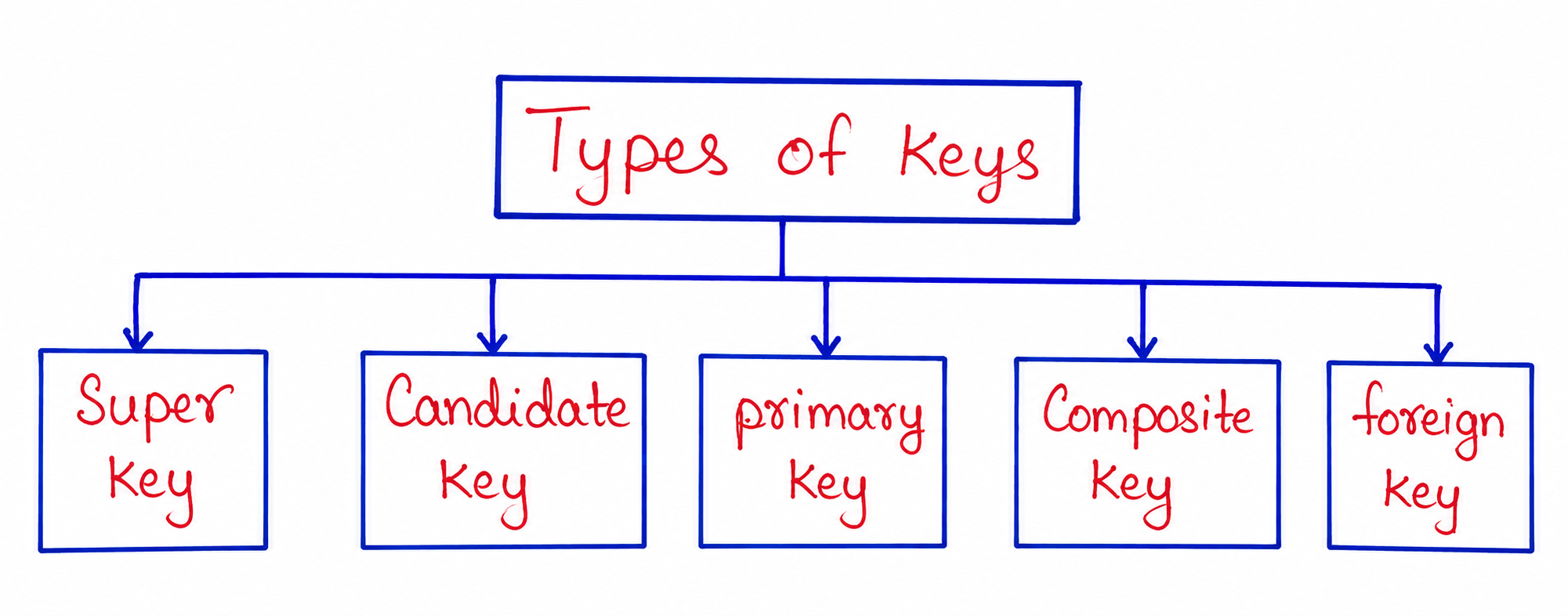
In this tutorial, you will learn about the different types of keys used in DBMS, including Primary Key, Candidate Key, Super Key, Composite Key, Alternate Key, and Foreign Key, along with practical examples based on a learning platform database.
What is a Key in DBMS?
A key is an attribute, or a combination of attributes, within a table that allows each row to be uniquely identified. Keys ensure that no two rows in a table contain identical identifying information, which is essential for maintaining accurate and consistent data.
Example Table: Students
| StudentID | Name | Course | |
|---|---|---|---|
| 101 | Ananya Sharma | ananya@example.com | Java Programming |
| 102 | Rahul Verma | rahul@example.com | C++ Programming |
| 103 | Ananya Sharma | ananya2@example.com | DBMS |
In this table, notice that two students share the exact same name, Ananya Sharma. Without a unique identifier like StudentID, the CS Engineering Gyan platform would have no reliable way to distinguish between these two different learners when tracking their course progress.
Why are Keys Important?
- They ensure every row in a table can be uniquely identified without ambiguity.
- They help maintain data integrity by preventing duplicate or conflicting records.
- They establish relationships between different tables within a database.
- They improve the efficiency of searching, sorting, and retrieving data.
- They form the foundation for enforcing rules that keep a database logically consistent.
Types of Keys
1. Super Key
A super key is any combination of one or more attributes that can be used to uniquely identify a row within a table. A super key may contain additional attributes beyond what is strictly necessary for uniqueness, meaning it can sometimes include extra, unneeded information.
Example
In the Students table above, the following combinations are all valid super keys, since each one can uniquely identify a row:
- StudentID
- StudentID, Name
- StudentID, Email
- StudentID, Name, Email, Course
Even though combinations like StudentID, Name, Email, Course include more attributes than necessary, they still qualify as super keys because they guarantee uniqueness for every row.
2. Candidate Key
A candidate key is a minimal super key, meaning it contains no unnecessary attributes. Every candidate key must uniquely identify each row using the smallest possible combination of attributes, without including anything extra.
Example
From the Students table, both StudentID and Email can independently and uniquely identify each student, assuming email addresses are always unique. This makes both of them valid candidate keys, since removing any part of either would cause them to lose their ability to uniquely identify a row.
| Candidate Key | Why It Qualifies |
|---|---|
| StudentID | Uniquely identifies each student without needing any other attribute. |
| Also uniquely identifies each student, assuming no duplicate emails exist. |
A table can have multiple candidate keys, but only one of them is eventually chosen to serve as the primary key for that table.
3. Primary Key
A primary key is the candidate key selected to be the main method of uniquely identifying rows within a table. Once chosen, a primary key cannot contain duplicate values, and it also cannot contain null values, since every row must have a valid, identifiable value for this attribute.
Example
CREATE TABLE Students (

    StudentID INT PRIMARY KEY,

    Name VARCHAR(100),

    Email VARCHAR(100),

    Course VARCHAR(100)

);
In this example, StudentID has been chosen as the primary key for the CS Engineering Gyan Students table. This ensures that every student record is guaranteed to have a unique, non-null identifier, which the database itself will enforce automatically.
Rules for a Primary Key
- Must contain unique values across every row in the table.
- Cannot contain null values under any circumstances.
- A table can have only one primary key, even if multiple candidate keys exist.
- Is often used as a reference point for establishing relationships with other tables.
4. Alternate Key
An alternate key refers to any candidate key that was not selected as the primary key. These keys still have the ability to uniquely identify rows, but they simply were not chosen as the main identifier for the table.
Example
Since StudentID was chosen as the primary key for the Students table, the Email attribute, which was also a valid candidate key, becomes an alternate key instead.
| Key Type | Attribute |
|---|---|
| Primary Key | StudentID |
| Alternate Key |
Alternate keys are still useful for enforcing uniqueness, even though they are not used as the table's main identifier, and databases often still apply unique constraints to them for this reason.
5. Composite Key
A composite key, also known as a compound key, is a primary key made up of two or more attributes combined together, used when no single column alone is sufficient to uniquely identify a row.
Example Table: Course Enrollments
| StudentID | CourseID | EnrollmentDate |
|---|---|---|
| 101 | C001 | 2026-01-10 |
| 101 | C002 | 2026-02-15 |
| 102 | C001 | 2026-01-12 |
In this example, tracking course enrollments for the CS Engineering Gyan platform, neither StudentID nor CourseID alone is enough to uniquely identify a row, since a single student can enroll in multiple courses, and a single course can have multiple students. Combining both attributes together, however, creates a unique composite key for each enrollment record.
CREATE TABLE Enrollments (

    StudentID INT,

    CourseID VARCHAR(10),

    EnrollmentDate DATE,

    PRIMARY KEY (StudentID, CourseID)

);
6. Foreign Key
A foreign key is an attribute in one table that refers to the primary key of another table, creating a link between the two. Foreign keys are essential for maintaining relationships between related pieces of data spread across multiple tables.
Example
Continuing with the CS Engineering Gyan platform, imagine a separate Courses table alongside the Students table shown earlier.
| CourseID | CourseName | Instructor |
|---|---|---|
| C001 | Java Programming | Rohit Mehta |
| C002 | DBMS Fundamentals | Priya Nair |
In the earlier Enrollments table, the CourseID column acts as a foreign key, referring back to the primary key of the Courses table. This relationship ensures that every enrollment record is linked to a valid, existing course.
CREATE TABLE Enrollments (

    StudentID INT,

    CourseID VARCHAR(10),

    EnrollmentDate DATE,

    PRIMARY KEY (StudentID, CourseID),

    FOREIGN KEY (CourseID) REFERENCES Courses(CourseID)

);
This foreign key relationship prevents invalid data from being inserted, such as an enrollment referring to a CourseID that does not actually exist in the Courses table.
Comparison of Key Types
| Key Type | Purpose |
|---|---|
| Super Key | Any combination of attributes that uniquely identifies a row, possibly including extra attributes. |
| Candidate Key | A minimal super key with no unnecessary attributes. |
| Primary Key | The candidate key selected as the main identifier for a table. |
| Alternate Key | A candidate key that was not chosen as the primary key. |
| Composite Key | A primary key formed by combining two or more attributes together. |
| Foreign Key | An attribute referencing the primary key of another table to establish a relationship. |
How These Keys Work Together
In a well-designed database, these different types of keys work together to maintain both uniqueness and relationships. A table typically starts with one or more candidate keys, one of which is chosen as the primary key, while the remaining candidate keys become alternate keys. When a single column is not sufficient for uniqueness, a composite key steps in to combine multiple attributes.
Meanwhile, foreign keys connect separate tables together, allowing a database like the one powering CS Engineering Gyan to logically link students to the specific courses they are enrolled in, without duplicating course details inside every single student record.
Best Practices While Designing Keys
- Choose a primary key that is stable and unlikely to change over time, such as an auto-generated ID rather than a name or email.
- Avoid using sensitive information, such as passwords, as part of any key.
- Use composite keys only when a single attribute genuinely cannot guarantee uniqueness on its own.
- Always define foreign key relationships explicitly to maintain data consistency between related tables.
- Keep primary keys simple and short whenever possible, since they are frequently used for indexing and lookups.
Common Mistakes Beginners Make
| Mistake | Correct Practice |
|---|---|
| Confusing candidate keys with the primary key. | Remember that a table can have multiple candidate keys, but only one becomes the primary key. |
| Choosing a frequently changing attribute, like an email, as the primary key. | Prefer stable, unlikely-to-change attributes, such as an auto-incrementing ID. |
| Forgetting that a primary key cannot contain null values. | Ensure the chosen primary key attribute will always have a value for every row. |
| Assuming a foreign key must always be unique within its own table. | Understand that a foreign key can repeat, since multiple rows may reference the same related record. |
Frequently Asked Questions
-
What is a key in DBMS?
A key is an attribute, or combination of attributes, used to uniquely identify a row in a table or establish relationships between tables. -
What is the difference between a super key and a candidate key?
A super key may include extra, unnecessary attributes, while a candidate key is the minimal version that still uniquely identifies a row. -
Can a table have more than one candidate key?
Yes, a table can have multiple candidate keys, though only one of them is selected as the primary key. -
What happens to candidate keys that are not chosen as the primary key?
They become alternate keys, still capable of uniquely identifying rows even though they are not the main identifier. -
When is a composite key used?
A composite key is used when no single attribute alone is sufficient to uniquely identify a row, requiring two or more attributes combined together. -
What is the purpose of a foreign key?
A foreign key establishes a relationship between two tables by referencing the primary key of another table. -
Can a primary key contain null values?
No, a primary key must always contain a valid, non-null value for every row in the table. -
Can a foreign key value repeat within its own table?
Yes, a foreign key can appear multiple times, since several rows may reference the same related record in another table.
Summary
Keys form the foundation of how relational databases maintain uniqueness, accuracy, and meaningful relationships between tables. From the broad concept of a super key, down to the minimal candidate key, and finally the chosen primary key, each level plays a specific role in identifying data reliably within a single table.
Composite keys extend this idea to situations where multiple attributes are needed together, while foreign keys connect separate tables into a cohesive, relational structure, much like how a platform such as CS Engineering Gyan would link student records to the specific courses they are enrolled in. Understanding these key types is essential for designing databases that remain accurate, consistent, and efficient as they grow.
With a solid understanding of keys in DBMS, you are now ready to explore Generalization and Specialization, which extend these foundational concepts into more advanced ER modeling techniques.